Xero API × Excel Integration
VBA macros that plug Xero's accounting API straight into Excel. I wrote the whole OAuth2 flow myself, including the part where Internet Explorer used to live.
- Role
- Developer & Maintainer
- Date
- Jun 12, 2024
- Primary
- VBA
- VBA
- Xero API
- Excel
- OAuth2
The problem
Accounting professionals live in Excel. They plan, analyze, and reconcile inside spreadsheets, and pulling Xero data usually means manual exports and copy-paste work. Xero secures its API with OAuth2, and VBA has no built-in support for that flow. Part of the flow also needs a browser for the user to sign in, and the only browser VBA offers out of the box, Internet Explorer, has been deprecated since 2022.
What I built
A set of VBA macros that connects Excel to the Xero API, released on GitHub. I wrote the OAuth2 flow myself, driving a real Chromium browser through the Chrome DevTools Protocol to complete the login where Internet Explorer used to be. The HTTP layer runs on the VBA-Web framework, and the login browser is driven by Chromium-Automation-with-CDP-for-VBA.
How it works
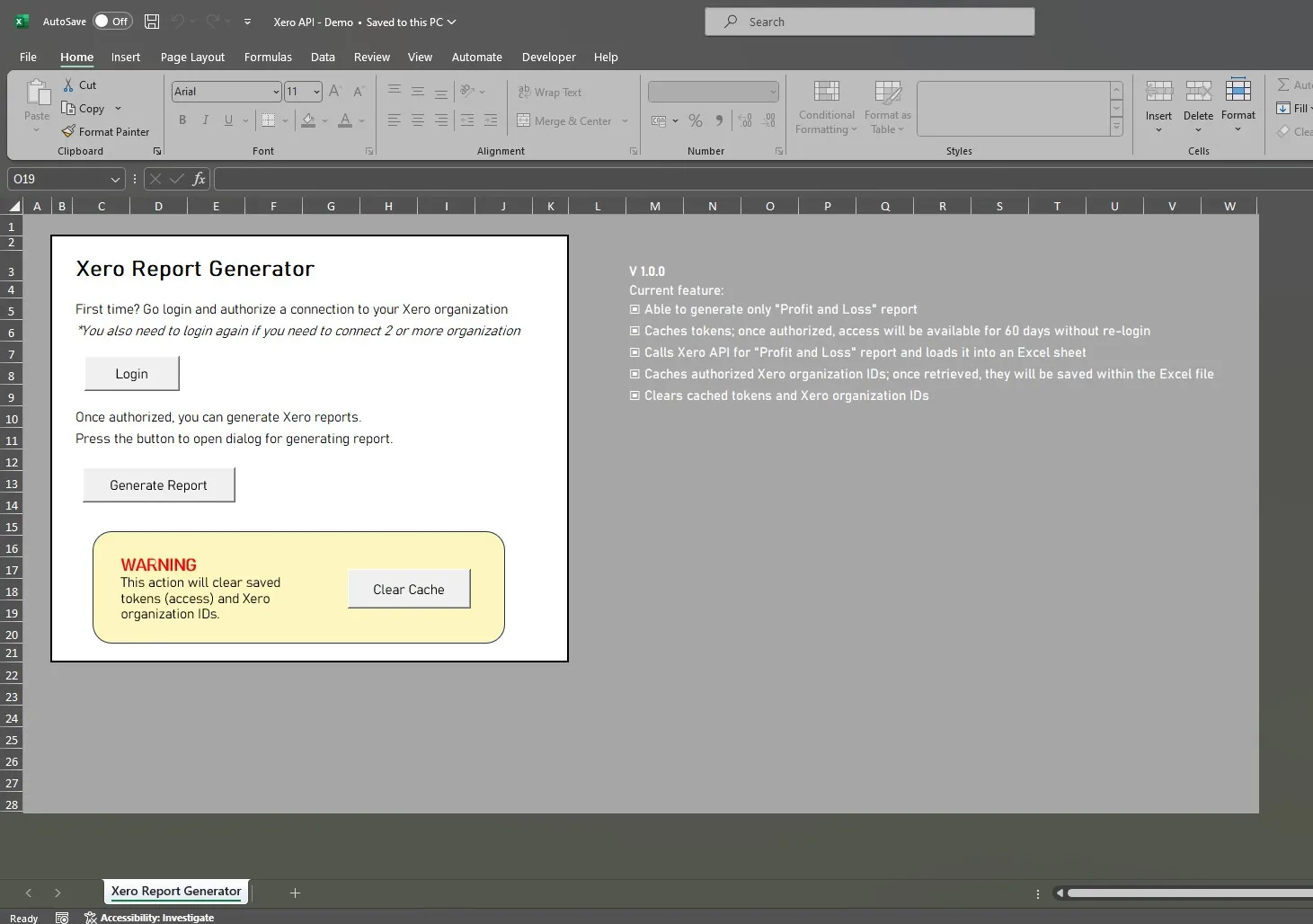
On top of the auth layer sits a simple interface inside Excel with options for logging in, choosing a report period, selecting an organization, and generating the output. The first supported report is the Profit and Loss statement, loaded into a formatted sheet. A cache-clear option resets tokens and stored organization details when needed.
The script caches the access and refresh tokens, so users stay logged in for up to 60 days without repeating the login, and it refreshes tokens automatically in the background. When a user belongs to multiple Xero organizations, the script retrieves the authorized tenant IDs, saves them inside the Excel file, and lets the user pick which organization to pull data from.
One caveat the project states plainly: Xero’s flow requires a client secret, and a workbook is not a safe place to keep one. That is a real ceiling on what this pattern can be used for.
I wrote a step-by-step guide to the whole authentication flow in Navigating OAuth2 Authentication in VBA.